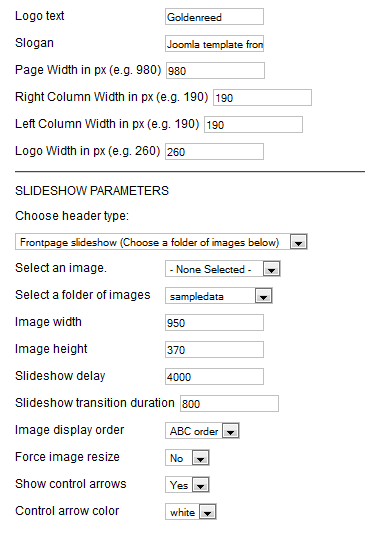
After template installation and choosing it to default template, click on the template's name in the template manager to set the template parameters. For the slideshow, cut your images to the same size, so that your images' width should be ideally equal to (page width - 30), because if you choose Force image resize: "Yes", then the quality can be worse. You have to use an ftp software like Filezilla, or if you use cpanel on the server, then the file manager to upload the images. You have to upload them into the templates/a4joomla-goldenreed-free/images/sampledata directory. If you want only one image without slideshow, then upload your image into the templates/a4joomla-goldenreed-free/images directory, and choose that image in the parameters.
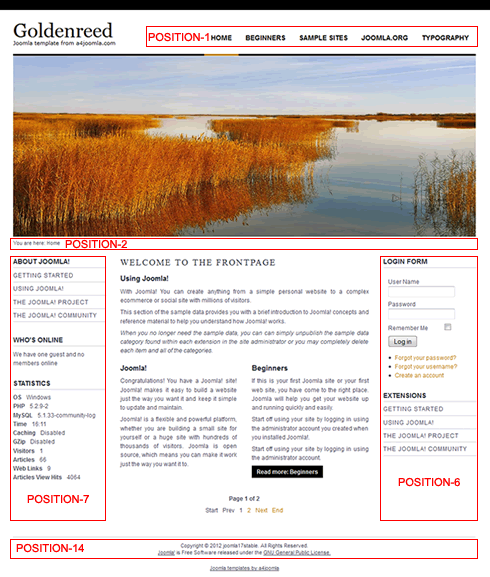
Module positions: