


Template parameters
After template installation and choosing it to default template, click on the template's name in the template manager to set the template parameters.

Choose your logo type (text or graphic) and fill in the logo text or upload your logo image. The logo height and width is either the size of the logo image or the size of the box that contains the logo text (you have to play with it).
Dropdown menu:
The template has a "position-1" module position for a dropdown menu. This 3-level suckerfish dropdown menu can be set by the following module settings:


Second horizontal menu
The template has a "position-13" module position for a second horizontal menu in the top-right corner e.g. for Login and Registration. This menu can be set by the following module settings:
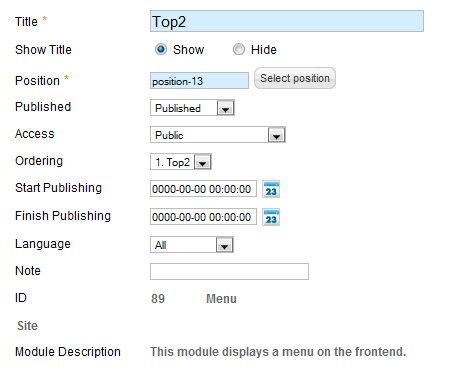


Module positions:
The following module positions exist in this template:

Module styles
3 module styles exist for the position-6 and position-7 modules (except for the menu modules):
- no background color (Module Class Suffix is empty)
- dark (Module Class Suffix is _dark)
- light (Module Class Suffix is _light)